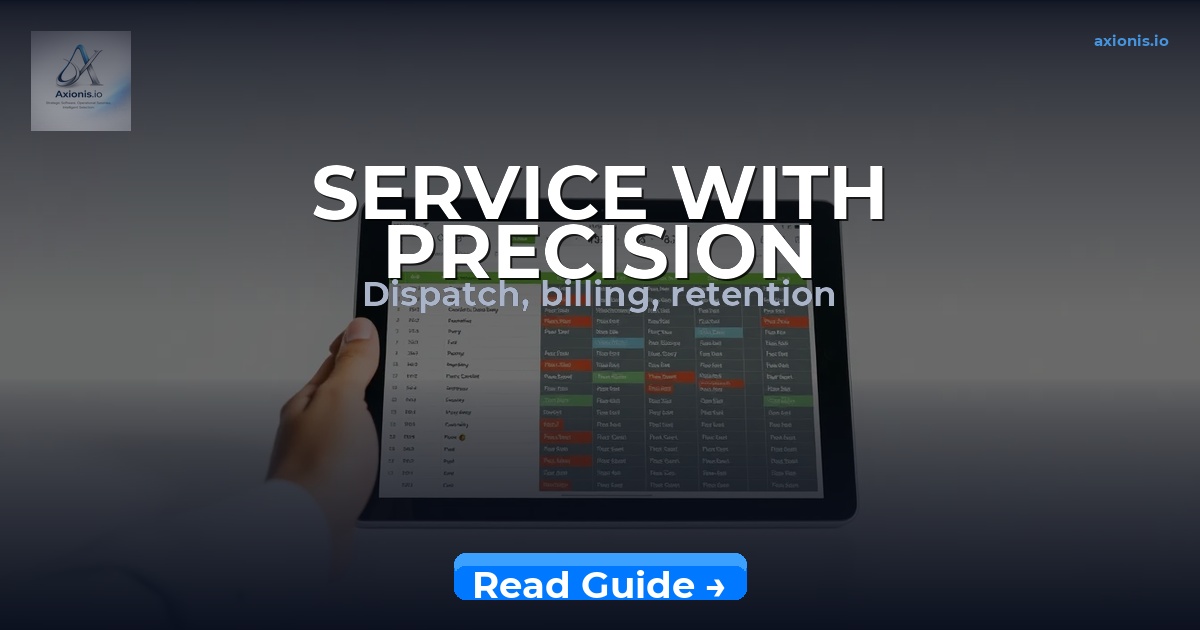
Scheduling jobs manually while your techs are sitting in traffic, your chemicals inventory is running short, and three customers haven’t received a follow-up in two weeks is not a workflow problem — it’s a revenue leak that compounds daily. Field service software for pest control is now the deciding factor between operators who scale past $500K and those who stay stuck managing chaos from a whiteboard. This guide gives you a clear framework: which platforms to evaluate, how to implement them without losing a week of productivity, and how to measure whether they’re actually working.
📋 What This Guide Covers
Proven Methods for Choosing Field Service Software for Pest Control That Actually Delivers
The single biggest mistake pest control operators make when evaluating software is leading with features. You’ll sit through a demo, watch someone click through a slick scheduling dashboard, and sign up for something that doesn’t match how your routes actually run. The better method: map your three highest-friction daily tasks first — whether that’s missed follow-ups, double-booked routes, or paper-based chemical logs — and then evaluate platforms against those friction points exclusively.
Pest control has specific operational demands that generic field service software ignores. You need chemical application logging that satisfies state pesticide regulatory requirements, recurring service agreements that auto-schedule quarterly or monthly visits, and route optimization that accounts for urban density versus rural spread. If a platform doesn’t handle all three out of the box, the workarounds will cost you more time than the software saves. The most commonly recommended platforms in the industry — PestPac, ServiceTitan, Jobber, and FieldRoutes — each dominate different operator profiles. PestPac and FieldRoutes are purpose-built for pest control; ServiceTitan and Jobber serve broader field service but with strong customization depth.
There’s a counterintuitive truth worth naming here: the cheapest platform per month is rarely the cheapest platform per year. Implementation time, training overhead, and the manual workarounds you build around a weak feature set all carry a real dollar cost. A $99/month platform that costs you 10 hours of admin per week is more expensive than a $299/month platform that eliminates that entirely. Evaluate on total operational cost, not licensing fee.
Once you’ve identified your friction points and shortlisted platforms, run a two-week parallel test: keep your existing system live and run one route fully through the new platform. This reveals integration gaps, mobile usability issues, and customer communication failures before they touch your entire operation.
Growing your pest control business also means building a client communication system that works between visits. Email sequences that re-engage lapsed customers, send seasonal service reminders, and trigger upsell offers after an initial treatment are exactly where email marketing earns its keep — and that’s a system worth building in parallel with your field operations stack.
Field Service Software Selection — Best Tool for Customer Re-Engagement
👉 Recommended Tool:
Moosend
— Build automated email sequences that send seasonal pest control reminders, re-engage customers who haven’t booked in 90+ days, and trigger upsell offers post-treatment, with a visual automation builder included at no extra cost on the free plan.
Top Tools for Pest Control Field Service Software — What Each Platform Is Actually Best For
The pest control software market has consolidated around a handful of serious contenders, each with a genuine strength and a genuine weakness. Here’s what the spec sheets won’t tell you:
FieldRoutes (acquired by ServiceTitan) is the strongest choice for mid-size pest control companies running 5–25 technicians. Its routing engine is built specifically for the stop-density patterns common in residential pest control, and its recurring service billing automates the revenue recognition that trips up most operators on generic platforms. The downside: it’s priced accordingly, and small operators under $200K annual revenue will feel the cost before they feel the ROI.
Jobber is the practical starting point for operators under $300K who need scheduling, quoting, invoicing, and customer communication without a six-month implementation timeline. It handles recurring jobs cleanly, syncs with QuickBooks, and has a client portal that cuts inbound “when is my tech arriving?” calls by roughly 40% for most operators. It doesn’t have built-in chemical logging — that’s the tradeoff.
PestPac is the compliance-first choice. If you’re operating in multiple states, managing commercial accounts with formal service documentation requirements, or handling termite work with bond documentation, PestPac’s regulatory compliance features are worth the steeper learning curve. It’s the platform most commonly used by franchised pest control operations for this reason.
HouseCall Pro sits between Jobber and the enterprise tier — good for operators at $300K–$700K who need stronger marketing automation than Jobber offers but aren’t ready for FieldRoutes pricing. Its built-in review request automation and postcard marketing tools make it the strongest choice if local SEO and reputation are active priorities.
One approach that compounds your software investment: once your field operations are running on a platform, use an SEO tool to track which service keywords are driving inbound calls in your metro. Ranking for “pest control [city]” or “termite treatment [zip code]” terms feeds the scheduling software with pre-qualified leads — not just referrals.
Top Tools for Pest Control Operations — Best Tool for SEO Visibility
👉 Recommended Tool:
Mangools
— Identify the exact local pest control keywords your competitors rank for in your service area, track your Google rankings week-over-week, and find low-competition service pages worth building — all for less than $30/month on the entry plan.
🏆 Top Recommendation
Mangools — Purpose-built for operators who want to rank their service pages in local search without paying agency fees. Track rankings for every service area you operate in, identify which competitor pages are capturing your customers, and find the exact keyword gaps worth filling — in under 30 minutes per week.
Step-by-Step Field Service Software for Pest Control Implementation Strategy
Most software rollouts in the trades fail not because the platform was wrong but because the implementation was unstructured. Techs default to old habits, dispatch still takes calls on paper because “it’s faster,” and the system never reaches the adoption threshold where it pays for itself. A phased rollout eliminates this.
Week 1–2: Data migration and configuration. Import your customer list, set up your service types (one-time, quarterly, monthly recurring), configure chemical product records, and set your tax rates and invoice templates. Do not go live until your most-used workflows are configured and tested. Cutting corners here creates a customer-facing mess on day one.
Week 3: Pilot with one technician. Run your highest-volume technician through the platform for one full week — real jobs, real customers, real invoicing. Identify the friction points before they scale across your team. This week will surface every workflow mismatch the demo didn’t show you.
Week 4: Full team onboarding. Train in the sequence your techs actually work: how to accept a job, navigate to the site, log chemicals used, capture a signature, and send the invoice. That five-step sequence is 90% of daily use — master it before covering every other feature.
Month 2: Automate the follow-up layer. Once scheduling and invoicing are stable, build your automated communication sequences — appointment reminders, post-service follow-ups, renewal notices for annual contracts, and seasonal treatment prompts. This is where field service software stops being an administrative tool and starts being a revenue engine. Most operators configure the scheduling and never touch the automation — which means they’re paying for a platform and leaving the highest-ROI feature unused.
Billing and cash flow management is the layer that breaks most pest control operators at the $400K–$700K growth stage. If your invoicing process isn’t automated and your payment terms aren’t enforced by the software, you’re managing receivables manually — which is a $20/hour task eating into $100/hour owner time.
Want to skip the manual work? 👉 Download the Contractor Cash Flow Command System — the complete system built around this strategy.
For operators who also manage freelance or subcontracted technicians, billing complexity doubles. The Freelance Billing Intelligence System covers the exact invoicing and payment tracking workflow for variable-headcount operations.
Implementation Strategy — Best Tool for Automated Client Communication
👉 Recommended Tool:
Brevo
— Set up SMS and email appointment reminders, post-service follow-up sequences, and annual contract renewal notices in a single platform — reducing no-shows by up to 30% and recovering renewal revenue that currently falls through the cracks.
Common Field Service Software for Pest Control Mistakes That Stall Growth
Running a software implementation without a clear decision about who owns the system is the fastest way to waste the investment. In pest control operations, this usually means the owner manages scheduling in the new platform, the office admin still uses a spreadsheet for follow-ups, and the techs are texting job details directly. That’s three separate systems producing three separate versions of operational reality. One person must own the platform — responsible for data quality, configuration updates, and compliance with the process.
The second common failure is treating the mobile app as optional. Field service software for pest control only delivers full value when your technicians are closing jobs in the field: logging chemicals, capturing signatures, collecting payment, and triggering the post-service follow-up — all on-site, before they drive to the next stop. The operators who let techs batch their admin at end-of-day are losing same-day payment collection and real-time route visibility. That’s not a technology limitation — it’s a training and accountability gap.
Third: ignoring the reporting layer. Every serious platform generates data on job completion rates, average revenue per visit, chemical usage per technician, and first-visit-to-recurring-contract conversion rates. Operators who don’t review these weekly are running blind. The numbers will tell you which technicians are upselling, which service routes are unprofitable, and which customer segments are churning after the first treatment — before those patterns become serious revenue problems.
A mistake specific to pest control operators who are also growing their online presence: building service pages without tracking whether they’re actually ranking. If you’re investing time in a website for your pest control business, use an SEO tracking tool to confirm which pages are moving in Google — otherwise you’re producing content into a void with no feedback loop.
Avoiding Implementation Mistakes — Best Tool for Tracking Online Visibility
👉 Recommended Tool:
SE Ranking
— Track every service page and location keyword your pest control site targets, get weekly ranking movement reports, and identify which competitor pages are outranking you for your highest-value service terms — accurate to within 1–2 positions.
How to Measure Field Service Software for Pest Control Results — The Metrics That Matter
Revenue per technician per day is the single most useful number field service software surfaces for pest control operators. It tells you whether route density is improving, whether upselling is happening, and whether technician utilization is moving toward the 6–7 billable jobs per day threshold where solo-operator economics start to work. If your software isn’t surfacing this number automatically, you’re not using its reporting capability.
Track these six metrics weekly once your platform is live:
1. First-call-to-booking conversion rate. The percentage of inbound inquiries that become scheduled jobs. Field service software should be improving this by removing friction from the quoting and scheduling process. A baseline under 60% is a problem — most optimized pest control operations run 70–80%.
2. One-time-to-recurring conversion rate. The percentage of single-treatment jobs that convert to a recurring service agreement. This is the most important growth lever in pest control because recurring revenue compounds while one-time revenue has to be replaced every month. Software should be automating the follow-up that drives this conversion.
3. Average days to invoice payment. If you’re extending terms and collecting manually, this number will be high. Pest control invoices should close in under 7 days for residential; 30 days is the outer limit for commercial. Automated payment reminders inside your platform directly move this number.
4. Chemical cost per job. Logged accurately inside your platform, this tells you whether technician application habits are consistent or whether specific jobs or technicians are running significantly above margin.
5. Customer churn rate. The percentage of recurring customers who cancel in a given quarter. A churn rate above 15% annually is a sign that service quality, pricing, or communication has a structural problem — and your software should surface this before it compounds.
6. Route efficiency score. Total miles driven versus total jobs completed per route. Route optimization features in platforms like FieldRoutes and Jobber can cut drive time by 15–25% on dense residential routes — translating directly into additional job capacity without adding a vehicle.
For operators also investing in invoicing systems for growth, the Contractor Invoicing Intelligence System provides a structured framework for tracking and improving payment velocity across your entire client base.
FAQ
What is the best field service software for a small pest control business just starting out?
Jobber is the strongest starting point for operations under $300K annual revenue. It handles scheduling, recurring jobs, invoicing, and customer communication without requiring a long implementation process. You can be operational in a week, and it integrates with QuickBooks so your accounting doesn’t become a separate manual task. Budget roughly $69–$99/month depending on the plan tier.
Does field service software for pest control handle chemical application logging and compliance?
Purpose-built pest control platforms — specifically PestPac and FieldRoutes — include chemical application logging that supports state pesticide regulatory requirements. Generic field service platforms like Jobber and HouseCall Pro do not include this natively; you’d need a separate compliance log or a workaround. If you operate in a state with strict pesticide application recordkeeping requirements, lead with a purpose-built platform.
How long does it take to implement field service software for a pest control company?
A realistic full-team implementation takes 3–5 weeks: one week for data migration and configuration, one week for a pilot with one technician, and one to three weeks for full team training and workflow stabilization. Operators who try to compress this into a weekend and go live Monday typically spend the following month in damage-control mode. Budget the time upfront.
Can I use field service software to grow my pest control business — not just manage it?
Yes — but only if you activate the automation and communication layers, not just scheduling. Software that sends automated re-engagement emails to lapsed customers, triggers renewal reminders before contracts expire, and prompts customers to leave reviews after service is functioning as a growth engine. Software that only dispatches jobs is a digital calendar. The difference between those two configurations is 8–12 hours of setup time and a material difference in annual recurring revenue.
Start Here: Recommended Path
If you’re just getting started, follow this path:
- Map your three highest-friction daily tasks in your current operation — scheduling conflicts, missed follow-ups, or compliance logging gaps — before evaluating any platform. Platform selection without this step leads to expensive mismatches.
- Run a two-week parallel test with Jobber or FieldRoutes (depending on your revenue tier) using one real technician on real jobs before committing your full team to the transition.
- Download the Contractor Cash Flow Command System to build the invoicing, payment automation, and cash flow tracking layer that most pest control operators ignore until it becomes a crisis.
Start using this system today — every week you wait is revenue and time you will not recover.
Start using this system today to stay ahead of the curve.
Related Resources
No internal Axionis articles are currently matched to this topic. Check back as the resource library expands — or start with the products linked throughout this guide to put the strategy into action immediately.
Free Weekly Intelligence
Get the Axionis Weekly Brief
Market opportunities, tool comparisons, and income strategy — no fluff, no spam.
Unsubscribe any time. One email per week.
Start Here
Explore Axionis tools, templates, and recommended systems to move faster.